The POS (The Terminal)
Open the drawer
Count the cash you start with and open the drawer on The Terminal, so the register can take cash and knows what should be in the drawer.
Tried on a demo store on 29 November 2026
Before you start
- Opening the drawer needs the Close a cash drawer or shift permission. Owners, managers and the Boutique staff role have it. Cashiers don't, unless the owner adds it to their role. In a store where each cashier has their own drawer, a cashier with Record cash opens their own.
- Sign in to The Terminal at the branch with your own passcode.
- Have the cash you start the day with in your hand, so you can count it.
Watch the steps
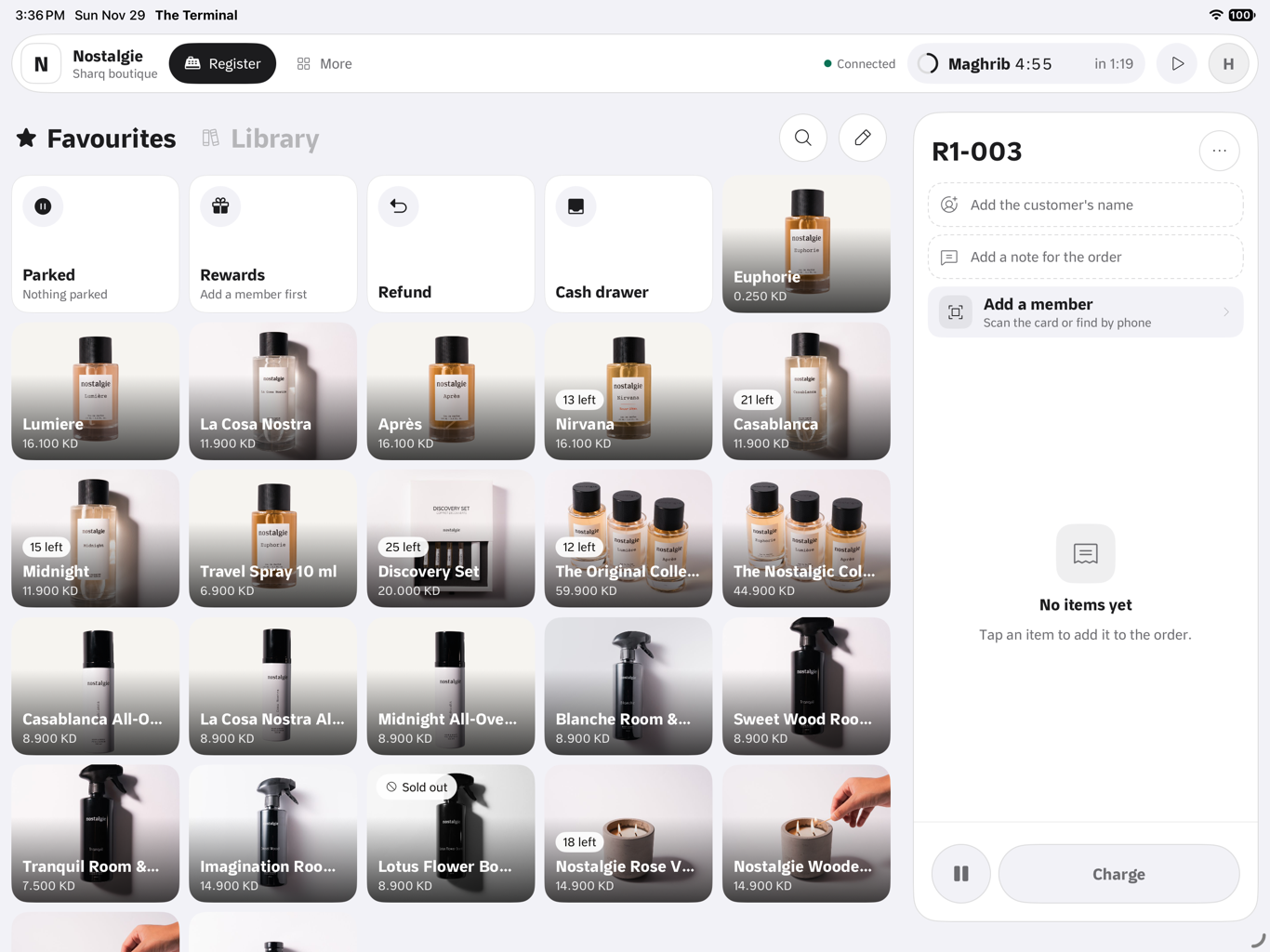
- On the register, select the Cash drawer tile.
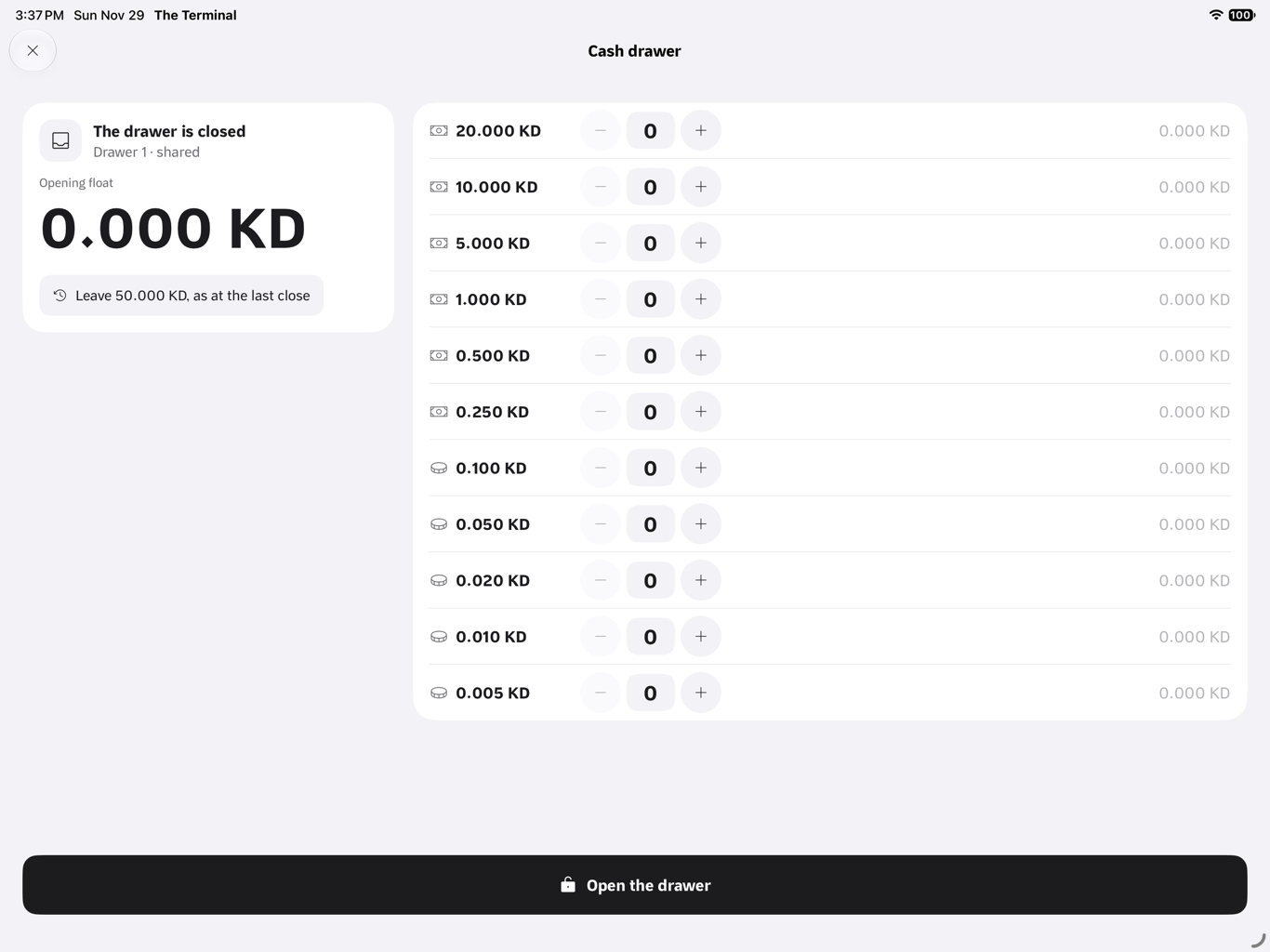
- The screen says which drawer this is and shows the opening float, 0.000 KD so far.
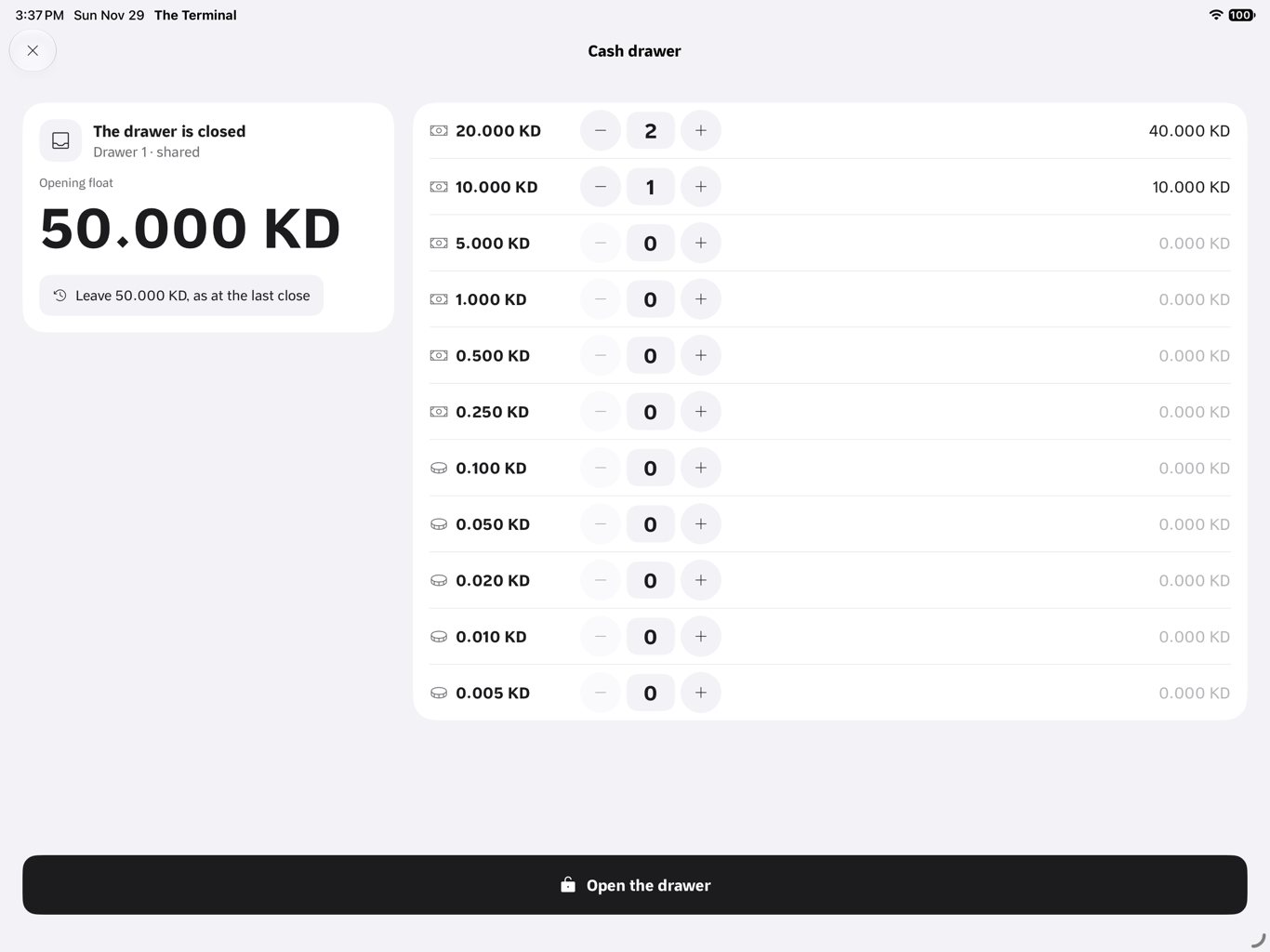
- Select + for each note and coin you put in. Here: two 20 KD notes and one 10 KD note.
- Check the total, then select Open the drawer.
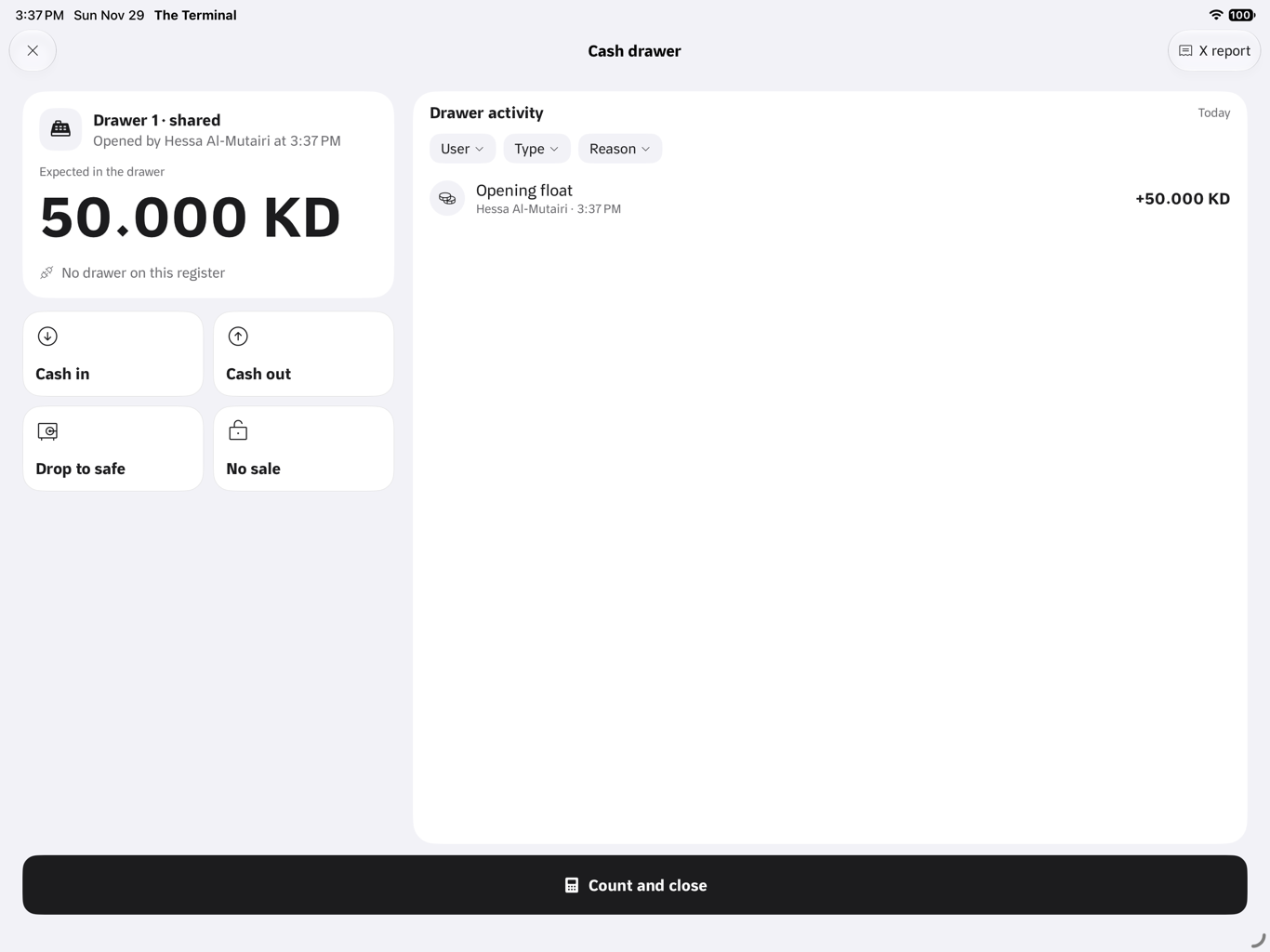
- The Terminal shows who opened it and when, and the cash expected in the drawer.
Open it
Open the cash drawer screen
On the register, select the Cash drawer tile. The Cash drawer screen opens and says .
Count the opening float
Under Opening float, select + or − next to each note and coin, from 20.000 KD down to 0.005 KD. Each row shows its value and the big figure shows the total.
To start with the same float as last time, select Leave 50.000 KD, as at the last close, if you see it. It fills in the count with the float the last closed session opened with; you still open the drawer in the next step.
Open the drawer
Check the total, then select Open the drawer.
For Fragrance and cosmetics
What happens next
- The screen shows with your name and the time, and Expected in the drawer with the float.
- Drawer activity lists the Opening float. Every cash movement after it is added here.
- The register can now take cash. From this screen you can also record Cash in, Cash out, Drop to safe and No sale, see the X report, and at the end Count and close.
An open drawer
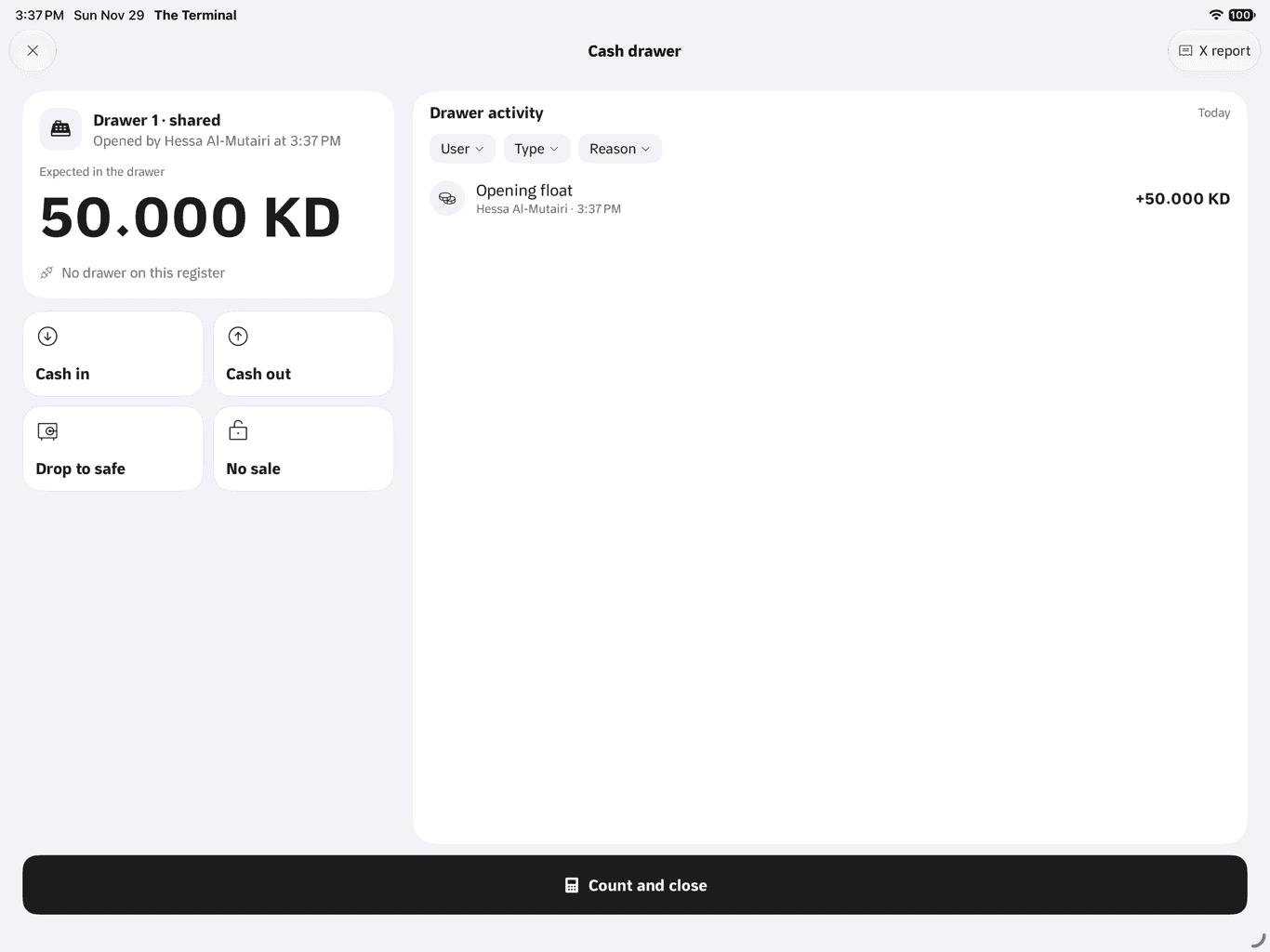
Who opened it
Expected in the drawer
Cash movements
Count and close
If something goes wrong
Your role can't open the drawer, so Open the drawer is greyed out. Ask a manager to open it, or ask the owner to add Close a cash drawer or shift to your role.
The day was already counted and closed, and your store runs one session a day. Sales start again tomorrow. To open more than once a day, a manager switches the store to drawer or cashier sessions.
In a store where each cashier has their own drawer, someone else's session is still open. They count and close it, or a manager does, before you open yours.
The Terminal can't reach the store, and opening the drawer needs a connection. Check the connection, then select Try again.
The store didn't answer when you selected Open the drawer. Nothing was opened. Try again.
The drawer stays closed. Ask a manager to check the store's cash settings.