Reports
Read the figures on Home
What each number on Helm's Home counts, which days and branch it covers, and why it can differ from your orders.
Tried on a demo store on 29 November 2026
Before you start
- Your role needs the View loyalty reports permission to see the figures. The owner and the manager have it. Without it, Home shows no figures.
- Sales, Visits and Customers show figures once your store has a loyalty programme; until then they show —. The period line and Open orders show either way. To set one up, start with Start and publish your loyalty programme.
Watch the steps
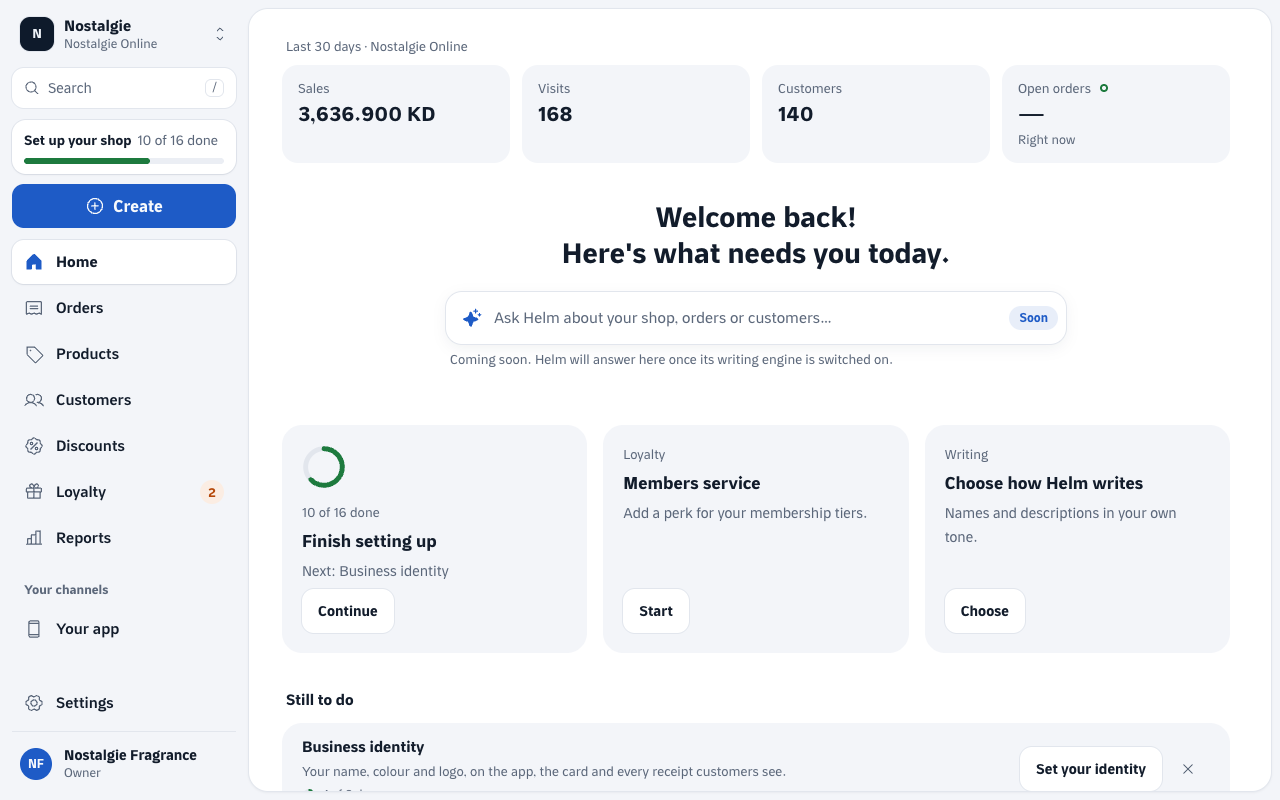
- Every figure in this row covers the last 30 days, for the branch named here.
- Choose another branch at the top of the menu. The figures follow it.
- What members spent, less refunds.
- How many purchases members made.
- How many members bought at least once.
- The branch's orders still in progress, right now.
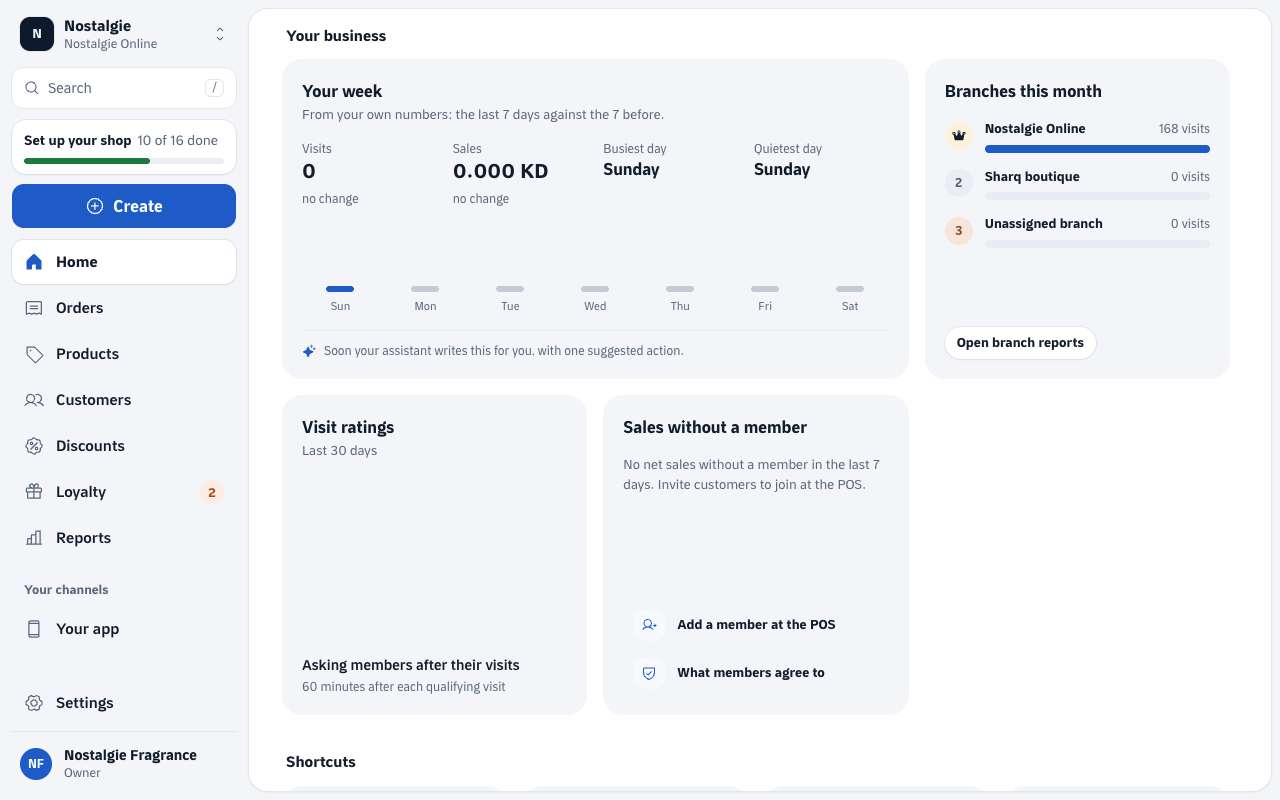
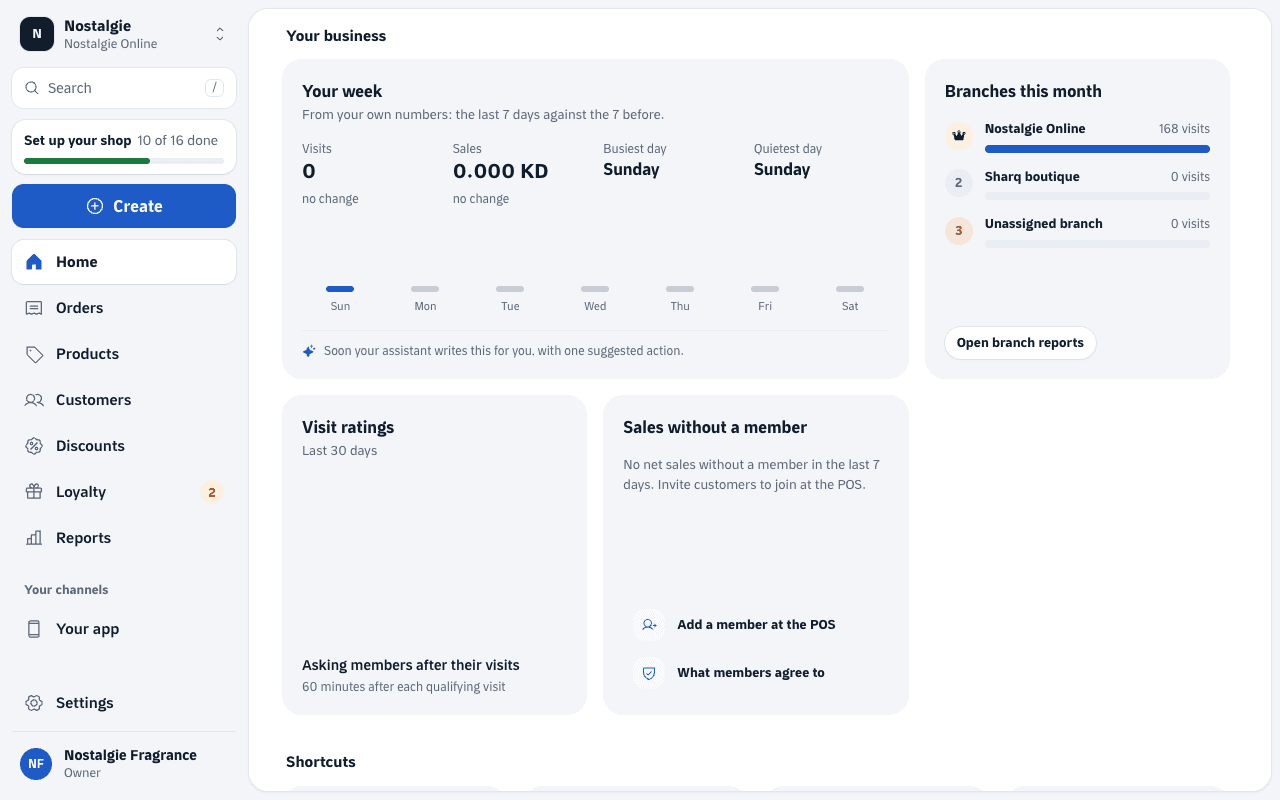
- The last 7 days against the 7 before.
- The last 30 days, ending yesterday, for every branch, ranked by visits.
- How members rated their visits.
- Sales where no member was added.
The row at the top
Open Home
In the menu, select Home. Helm also opens on Home when you sign in.
Check the period and branch
Above the figures you see Last 30 days and the branch's name, for example Last 30 days · Nostalgie Online. To see another branch, choose it at the top of the menu.
Read the figures
Open the detail
Select Open orders to go to the Orders page. With the loyalty and reports modules on, Sales, Visits and Customers open the loyalty report.
What counts
Your business
Lower on Home, Your business shows four cards.
Your business
Your week
Branches this month
Visit ratings
Sales without a member
If something goes wrong
The figure hasn't loaded yet, or Helm couldn't read it. Wait a moment, or reload the page. Open orders tries again every 10 seconds.
Sales, Visits and Customers stop at yesterday. Today's open orders are on Open orders; today's sales arrive in the figures tomorrow.
Only members' purchases count, after refunds. Sales with no member added are on the Sales without a member card.
No member purchase in the 30 days carries an amount in your programme's currency, so Helm shows no money figure rather than a wrong one.
Your programme has fewer than 14 days of figures. The card fills in once it has two full weeks.
There were no visits in the last 7 days, so every day ties at 0.
Helm hasn't loaded the branch list yet. Reload the page.
Visit ratings aren't switched on. Select Turn on; it needs the Set up and publish the programme permission. Without it, you see the card only once ratings exist.
Ratings are on, but none have arrived in the last 30 days. Members are asked a set time after each qualifying visit, for example 60 minutes after each qualifying visit.
Your role doesn't hold View loyalty reports. The owner can add it to your role.